Refract is an interactive effects engine. People use it to build shader effects and 3D scenes, then export them to their own sites as embeds. What makes it different is that it's built as a shared surface for human and AI creation. You can design something by hand, or hand it to an AI agent, and both work on the exact same canvas.
.png)
Summary
Refract is an interactive effects engine. People use it to build shader effects and 3D scenes, then export them to their own sites as embeds. What makes it different is that it's built as a shared surface for human and AI creation. You can design something by hand, or hand it to an AI agent, and both work on the exact same canvas.
When I first wrote about Refract it was a single product for building 2D shader effects. Since then it's grown into two product lines, Effects and Worlds, held together under one idea. This case study is about how that expansion happened and the decisions that made it possible.
Role: solo. I designed and built the product, including the UX, the interface, the rendering pipeline, and the AI tooling.
.png)
The user
Refract is for frontend developers who want their sites to feel alive but don't want to take on a heavy creative tool to get there.
The clearest version of this person works at a small startup or builds their own products. They can write React. They have not learned Three.js and don't want to learn it for one hero visual. They've copied a shader off Shadertoy, spent an afternoon trying to get it running in their Next.js app, and given up. They use Cursor or Claude Code every day, so they're comfortable with AI in their workflow and they expect it in their tools.
Two other groups use it. Boutique web agencies who need their client sites to look distinct without hurting performance or locking the client into someone else's runtime. And creative coders shipping personal work, who are lower in volume but push the tool the hardest.
It helped to be just as clear about who Refract is not for. Non-technical designers, big-budget motion teams, and game developers all came up as possibilities, and designing for any of them would have pulled the product somewhere worse. Keeping the user narrow kept the decisions clean.
The problem
Before Refract, the options for "I want this site to feel alive" were all bad in different ways.
You could spend two afternoons going from Shadertoy to something that actually runs in your app, and usually give up halfway. You could reach for a tool like Spline or Rive, which work, but load a runtime your fast static site now has to carry before anything paints. You could hire a creative developer for a few thousand dollars and get a one-off that breaks at the next redesign. Or you could do the default move, drop in a stock video background and settle.
The pain underneath all of it is that the gap between the cool sites people screenshot and what they can actually ship is huge, and a runtime dependency is hard to justify for a single hero visual. The AI part adds a second frustration. People run their whole dev workflow through Cursor and Claude, and then their creative tools sit in a separate world that doesn't connect to any of it.
Refract answers both. Build the visual fast, with or without AI, and export it as something that drops into the site cleanly.
.png)
The bet: from Effects to Worlds
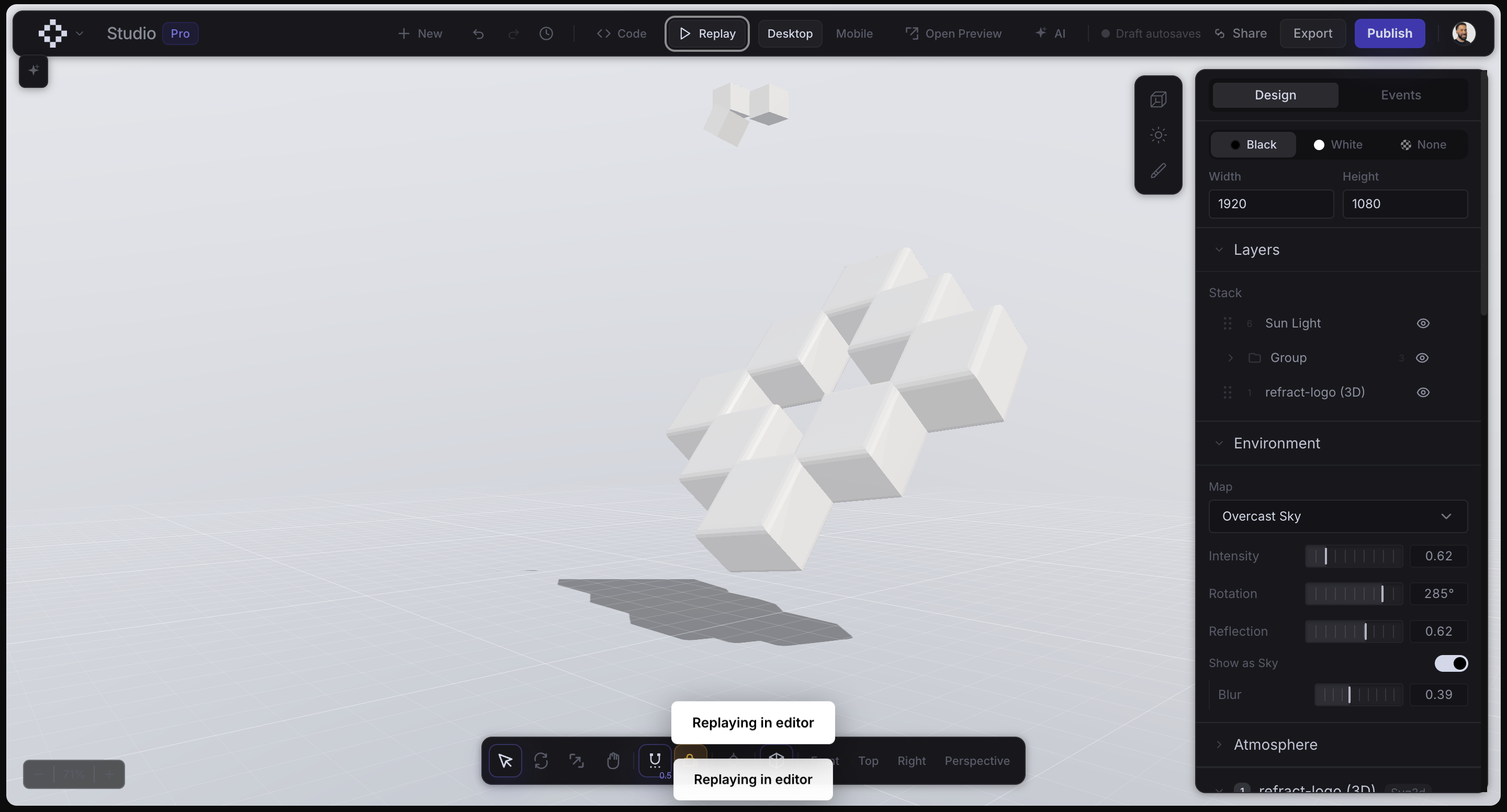
The biggest decision in this period was expanding from 2D shader effects into full 3D scenes, which became the Worlds product line.
It was a real risk. Effects had a clean identity and a clear moat. Worlds meant 3D scenes, cameras, lighting, and 3D assets, a much larger surface to design and a much easier way to end up with two disconnected products sharing one name. The upside was that it moved Refract from a tool for shader backgrounds to a tool for building interactive visuals, which is a category worth owning, especially as the shared human and AI surface became the thing tying it all together.
The bet only worked because of how I handled the next two decisions.
Making AI reliable
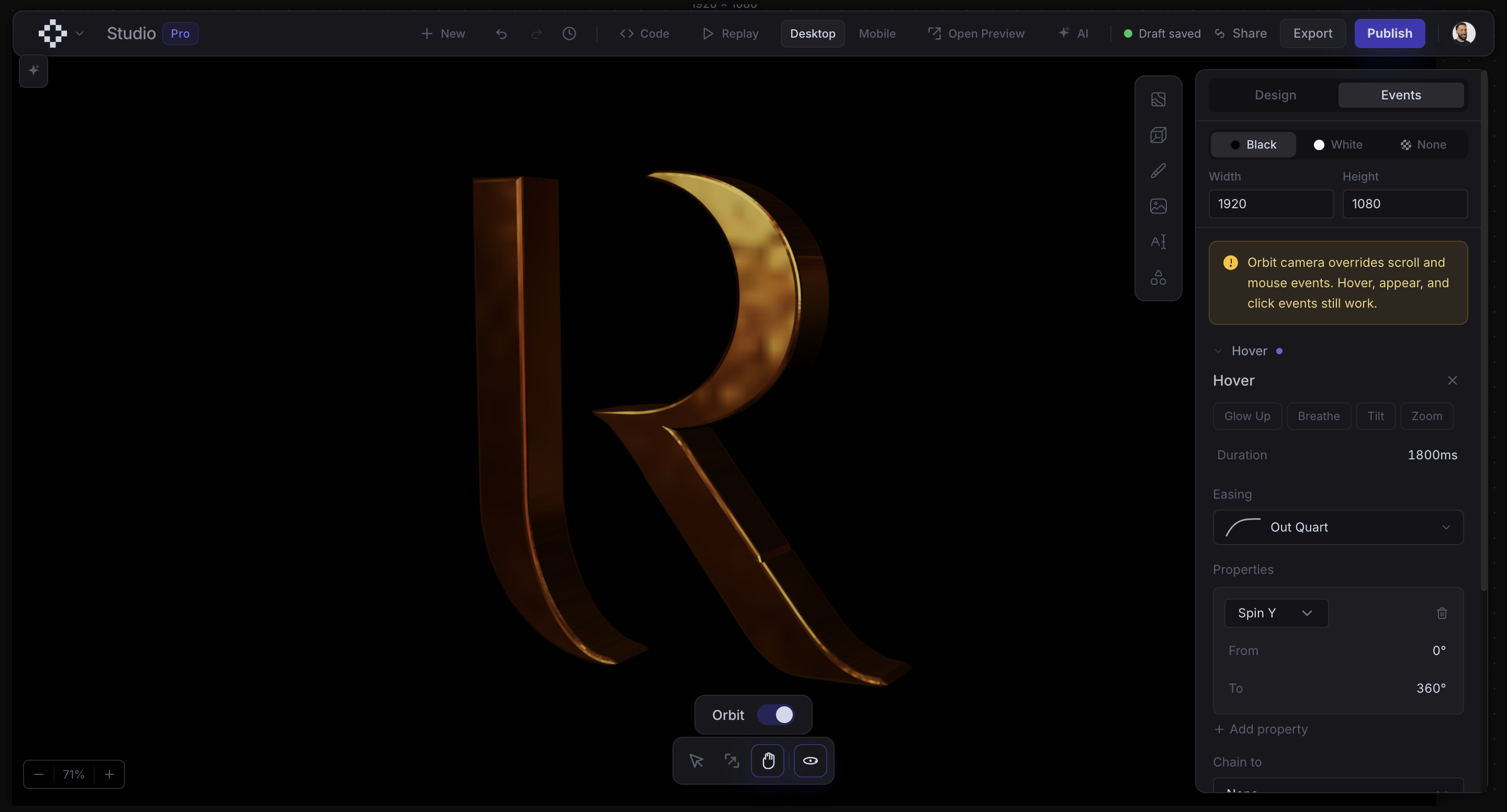
Refract lets a person and an AI agent work on the same canvas. The interesting problem was never connecting an AI at all. It was making it reliable enough that people trusted it.
Early on I ran both modes, Effects and Worlds, through one shared AI setup. It failed in a specific way. The AI would try to generate a 3D model while you were building a 2D effect, or write shader code while you were building a 3D scene. It looked fine in a demo and fell apart in real use.
The fix was to separate the two modes hard. Each mode gets its own AI behavior and only shows the tools that make sense for it. If you ask for a 3D scene while you're in effect mode, the AI tells you to start a world instead of trying and failing. The sense that the AI just works here comes from that separation, not from any one model being clever.
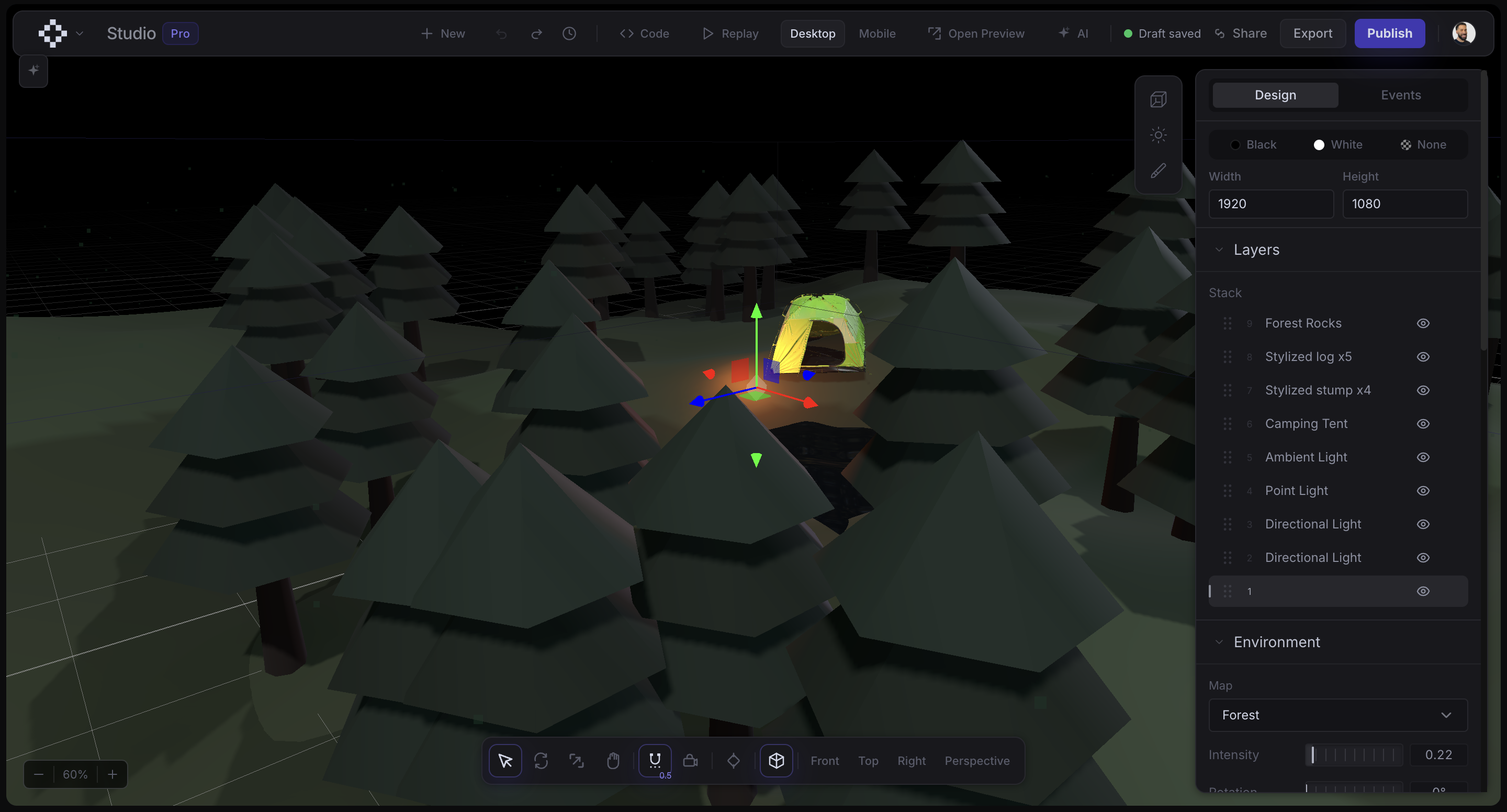
I also held the AI to the same quality bar as a person. It can't ship a flat, badly lit 3D scene, because the system enforces a minimum of real lighting and atmosphere. The AI builds inside the same standards I'd hold myself to.

Defending the moat where it mattered
Effects export as zero-dependency embeds. That's the core promise. The visual drops into your site and doesn't drag a runtime along with it. The honest question with Worlds was whether 3D scenes could keep that promise.
They couldn't, and pretending otherwise would have meant Worlds never shipped. A 3D scene needs a real runtime to handle the camera, the scroll behavior, and the 3D assets. So I split it. Effects stay zero-dependency and inline, which is where that promise actually matters to people. Worlds load a small player on demand. I kept the moat where it served users and let it go where it didn't.
The related call was keeping the AI integration free. The developers running everything through Cursor and Claude are the strategic users even when they aren't the paying ones, because they're how the product spreads. Charging for that would have captured a little revenue and given up the distribution. So I priced the creative tiers for individuals and left the AI connection open.
Knowing when to cut
I built an AI particle system layer, shipped it, and then pulled it.
It worked technically. It just didn't earn its place. It made the tool more complicated without making people's work meaningfully better, so I disabled it and took it out of the AI's vocabulary. Cutting a feature you already built is harder than never building it, because you've spent the effort and it's sitting right there. But keeping it would have cost every user a little clarity just to spare me the discomfort of walking it back. That trade wasn't worth it. I did bring back the particle layer in a more simple way, giving users the option to add particle shapes, stars, and atmosphere to their 3D scenes. It also still exists in 2D as well, but the AI particle generation that molds into any shape and idea felt like a platform within itself.
Where it is now
Refract is live, with Effects and Worlds both shipping. A boutique agency, Fourth Floor, uses it on real client work, which is the validation I trust most. Someone put it in front of their own paying clients and shipped with it.
The usage shows up inside the product too. I added full version history with automatic snapshots specifically because people were editing with AI often enough to need a reliable way back across those changes. I added presets and a built-in shader guide because people were generating shaders and shipping them, and the quality needed to come up to match. These features exist as responses to real use, not guesses about it.
What I took from it
The expansion taught me where a moat actually serves users and where holding onto it just gets in their way. The founder instinct is to defend the thing that makes you different everywhere at once. The more useful version is to defend it where it helps the person using the product and drop it where it doesn't, which is a harder call to make when it's your own idea on the line.
It also reinforced that the quality of AI inside a tool is mostly a product design problem, not a model problem. Reliable AI here came from hard mode separation, enforced standards, and tools scoped to the right context. The model matters less than the structure built around it.
.svg)